
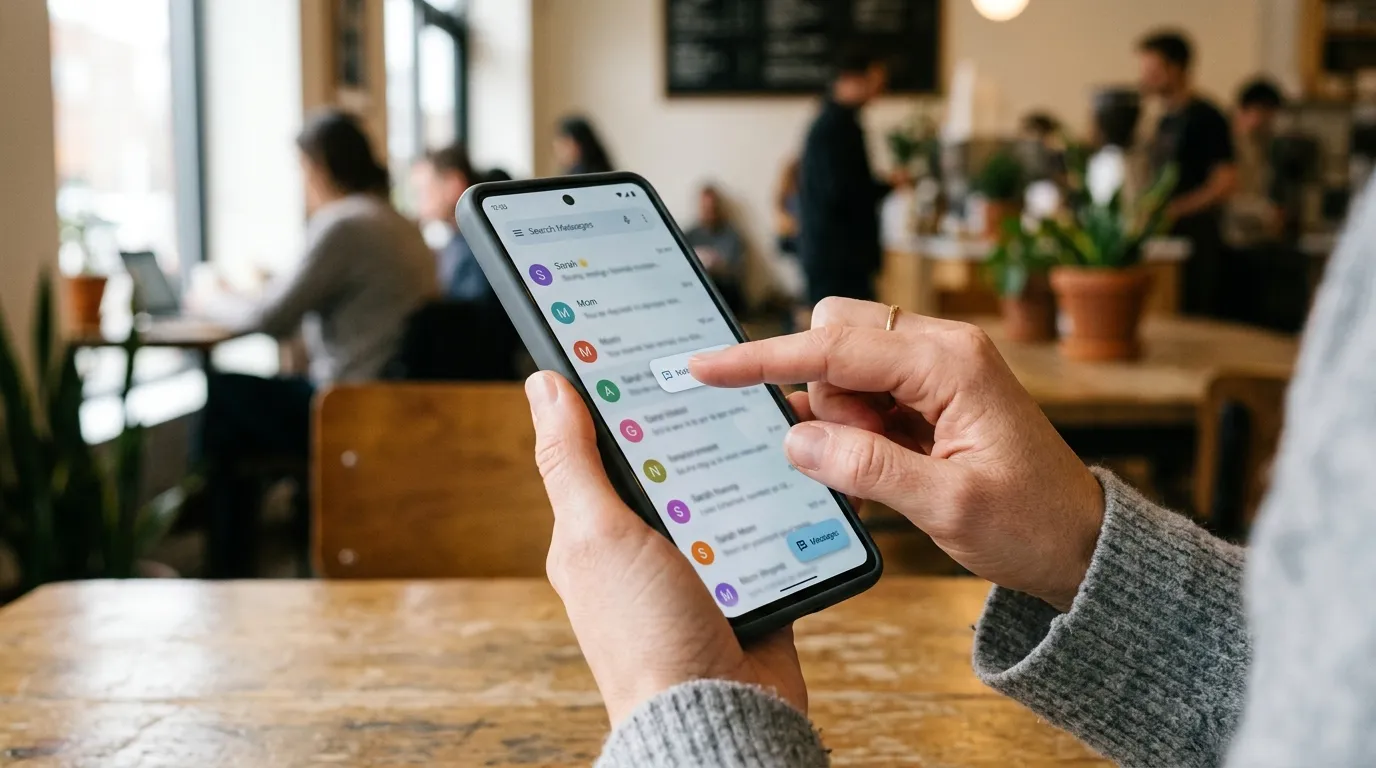
Haptics’ meaning centers on the science and technology of touch. In everyday terms, haptics refers to recreating or studying the sense of touch through physical sensations like vibration, force, or motion, especially in digital devices and interfaces.
You encounter it constantly. Your phone vibrates when you type or get a notification. A game controller rumbles during a crash.
These are practical examples of haptic technology at work. The word comes from the Greek root related to touching or fastening, and it covers both the scientific study of touch perception and the engineering systems that deliver tactile feedback to users.
This article breaks down the full haptics meaning, how the technology operates, the main types, common applications, and practical points to keep in mind. You will see clear comparisons and a quick reference so the concepts stick.
You are curious about your phone’s response, designing interfaces, or simply want a solid definition, the explanations stay grounded in established terminology and everyday experience.
The Core Definition of Haptics
Haptics is the study and application of touch. Dictionaries and technical sources describe it in two closely related ways. First, it is the science concerned with the sense of touch, including how humans perceive pressure, texture, vibration, and movement through the skin, muscles, and joints. Second, in technology, haptics means using electronically or mechanically generated movement so a user experiences touch sensations as part of an interface.
Merriam-Webster notes the plural form treated as singular: the use of generated movement that a user feels through touch on devices such as gaming consoles or smartphones. Dictionary.com and Cambridge similarly highlight both the psychological investigation of tactile data and the digital practice of delivering tactile sensations for interaction with computers and electronic devices.
The term is not limited to simple buzzing. It includes any mediated touch sensations created by machines that stand in for real physical contact. Direct human-to-human touch is ordinary touch; haptics begins when technology mediates or simulates that experience.
How Haptic Technology Works
Haptic systems link software events to physical output. Sensors or software detect user input or a programmed event. Controllers process the signal. Actuators then produce the sensation the user feels.
Common actuators include eccentric rotating mass motors that create broad vibration, linear resonant actuators that deliver more precise, quicker pulses, and piezoelectric elements that generate sharp, localized effects. More advanced setups use force-feedback mechanisms, ultrasound for mid-air sensations, or thermal elements.
The result is closed-loop interaction. You press a virtual button; the device responds with a short, crisp pulse that mimics a mechanical click. In a racing game, the controller resists or shakes according to the virtual surface. The software decides the timing, intensity, and pattern; the hardware delivers the physical cue. This combination makes digital interfaces feel more responsive and informative than pure visual or audio feedback alone.
Main Types of Haptic Feedback
Two broad categories dominate: tactile and kinesthetic.
Tactile (or cutaneous) feedback focuses on skin sensations, vibration, texture, pressure changes, or temperature. Phone keyboards and notification pulses are classic tactile examples. Vibrotactile systems remain the most widespread because they are compact and power-efficient.
Kinesthetic feedback involves force, resistance, or motion that engages muscles and joints. A steering wheel that stiffens during a turn or a surgical trainer that resists a scalpel movement falls into this group. Graspable devices such as joysticks and controllers often combine both.
Emerging forms include surface haptics that alter friction on a screen, mid-air ultrasound that lets users feel shapes without contact, and electrotactile stimulation that activates nerves directly. Each type suits different goals: simple confirmation versus realistic object manipulation.
Everyday and Professional Applications
Consumer electronics lead everyday exposure. Smartphones use haptic engines for typing confirmation, alerts, and subtle interface cues. Wearables deliver discrete taps. Gaming controllers and VR systems rely on layered feedback for immersion.
Automotive interfaces employ haptics in steering wheels, seats, and touchscreens so drivers keep eyes on the road. Healthcare uses force-feedback trainers for surgery practice and rehabilitation devices that guide movement. Industrial and robotics settings add tactile sensing so remote operators feel what a machine touches. Accessibility tools can convey information through patterned vibration or surface changes.
In each case the goal is the same: add a physical channel of information that vision and hearing cannot fully replace.
Benefits and Practical Limitations
Well-designed haptics improve confirmation of actions, reduce visual load, and raise perceived quality of an interface. A precise pulse can signal success faster than an on-screen message. In training or remote operation, force cues support better control.
Limitations exist. Battery life suffers if actuators run constantly. Cheap motors produce coarse, unrefined vibration that users often disable. Complex force-feedback hardware remains bulky and expensive for mass-market devices. Not every sensation can be reproduced accurately; texture and temperature still lag behind vibration. Individual sensitivity varies, so designers must allow user control over intensity.
Accuracy always comes first. Haptics enhances experience when matched carefully to the task; overuse or poor timing becomes noise.
Comparison of Common Haptic Approaches
| Approach | Primary Sensation | Typical Devices | Strengths | Limitations |
| Vibrotactile (ERM/LRA) | Vibration, short pulses | Phones, watches, controllers | Compact, low cost, widely available | Limited nuance, power draw |
| Force / Kinesthetic | Resistance, weight, push | Joysticks, medical trainers, VR | Realistic object feel, precise control | Bulky, higher cost, power needs |
| Surface / Friction | Texture or drag change | Specialized touchscreens | Adds detail without extra hardware | Narrow application range |
| Mid-air / Ultrasound | Contactless pressure | Interactive displays, research | No wearable required | Early stage, limited strength |
This table highlights trade-offs designers weigh when choosing hardware for a given product.
Quick-Reference Guide to Key Terms
| Term | Simple Meaning | Example |
| Haptics | Science and tech of touch sensation | Phone vibration on key press |
| Haptic feedback | Physical response delivered by a device | Controller rumble in a crash |
| Tactile feedback | Skin-level sensations (vibration, texture) | Typing confirmation pulse |
| Kinesthetic feedback | Force and motion sensed by muscles and joints | Resistant steering wheel |
| Actuator | Hardware that creates the physical sensation | Linear resonant motor in a phone |
| Haptic interface | Device enabling two-way touch interaction | VR glove or force-feedback joystick |
Keep this list handy when reading product specs or design notes.
FAQs
Q: Haptics meaning iPhone?
A: Haptics on iPhone are vibrations or touch feedback that respond to certain actions.
Q: Haptics meaning in phone?
A: Haptics in a phone are physical vibrations that provide feedback when you interact with the device.
Q: Haptics meaning Watch?
A: Haptics on a Watch are gentle taps or vibrations that alert you to notifications and actions.
Q: Haptics meaning in communication?
A: Haptics in communication refers to using touch to express feelings, signals, or messages.
Q: Haptics meaning alarm?
A: Haptics for an alarm use vibrations to alert you without relying only on sound.
Q: Haptics meaning example?
A: A common haptics example is a phone vibrating when you press a button or receive an alert.
Q: Haptics meaning controller?
A: Haptics in a controller create vibrations that make game actions and events feel more realistic.
Q: Haptics meaning roblox?
A: Haptics in Roblox can provide vibration feedback during supported gameplay on compatible devices.
Conclusion
Haptics’ meaning rests on a straightforward idea: touch is a powerful channel for information, and technology can recreate or extend it. From dictionary definitions focused on the science of touch to the actuators inside modern phones and controllers, the concept stays consistent. Understanding the typestactile versus kinestheticand the practical trade-offs helps you evaluate devices and design better interactions.
The next practical step is simple. Open your phone settings, explore the haptic or vibration options, and notice how different patterns feel. For deeper technical detail, consult established references such as dictionary definitions or engineering overviews of [haptic interfaces]. Clear knowledge of haptics means turns everyday sensations into intentional design choices.

Hello, I’m Mark Nichol. I’ve always been passionate about English words and how they are used in everyday communication. At Defineexa.com, I share simple guides on word meanings, acronyms, texting abbreviations, and modern slang. I believe learning English should be easy, practical, and enjoyable, so every article is written with clarity and accuracy in mind.